The Ultimate Guide to Frameless Monitors: Edge-to-Edge Display is Your Next Upgrade
Is your current monitor holding you back with bulky, distracting bezels? Welcome to the era of the frameless computer monitor, a sleek, immersive display technology that’s transforming workspaces and gaming setups worldwide. Whether you’re a professional, a gamer, or a multitasker, upgrading to a frameless PC monitor can enhance your visual experience in surprising ways. In this guide, we’ll explore everything you need to know about no frame monitor designs, their benefits, and how to choose the best one for you.
What Exactly is a Frameless Monitor?
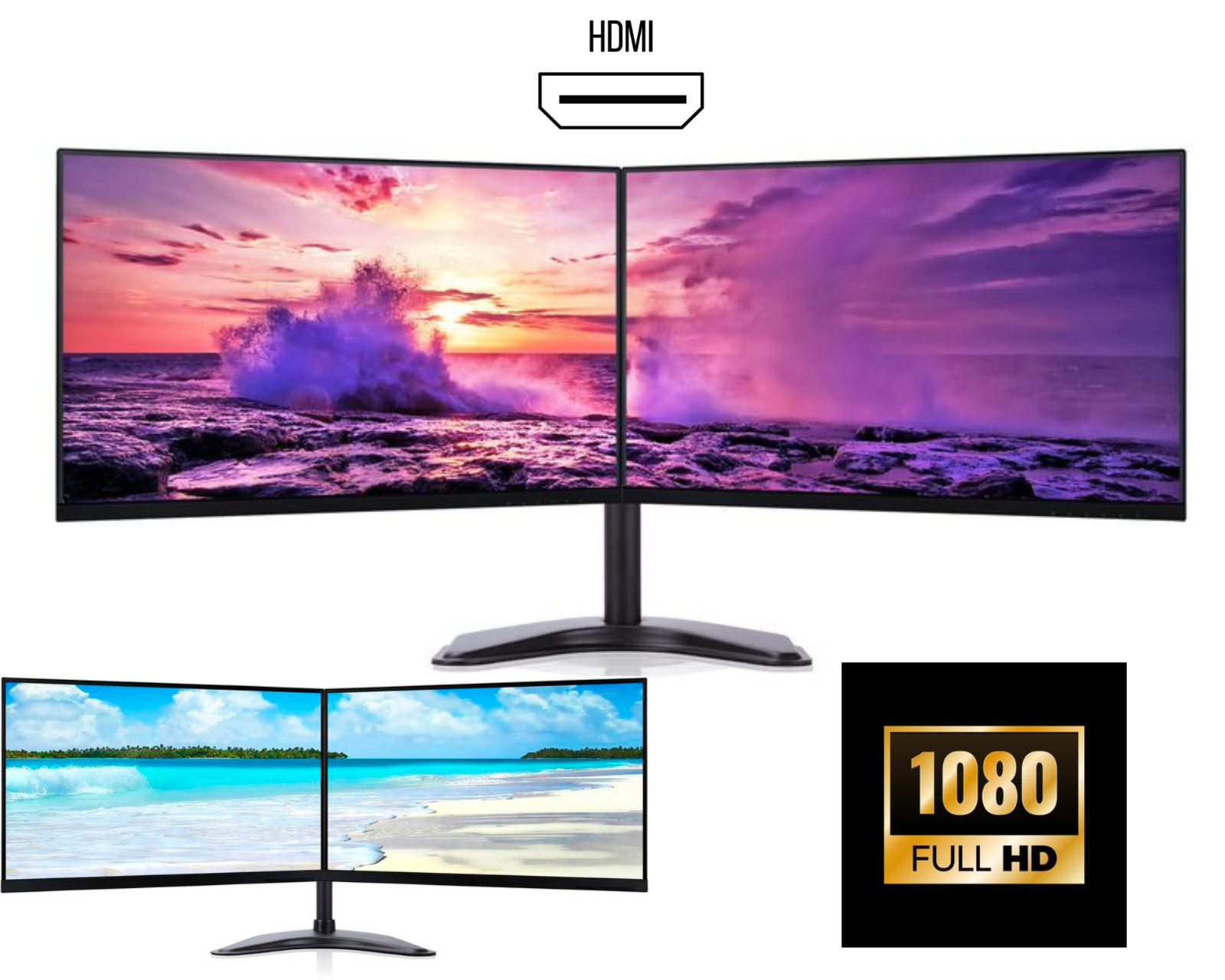
A frameless computer monitor, often marketed as a no frame monitor, features ultra-thin bezels, sometimes as slim as 1mm around the screen. Unlike traditional monitors with thick plastic borders, these displays minimize visual interruptions, creating an almost seamless edge-to-edge viewing surface. This design isn’t just for looks, it serves practical purposes for both productivity and entertainment.
Key takeaway: The terms pc monitor frameless, computer monitor frameless, and frameless pc monitor all refer to the same cutting-edge design focused on maximizing screen real estate and minimizing distractions.
Top 5 Benefits of Going Frameless
1. Unmatched Immersion
Whether you’re gaming, watching movies, or designing graphics, a frameless PC monitor pulls you into the action by removing the black borders that traditionally frame content. The result? A more engaging and visually expansive experience.
2. Perfect for Multi-Monitor Setups
If you use multiple screens, frameless computer monitor designs are a game-changer. When placed side-by-side, the near-invisible bezels create a nearly continuous panoramic display, ideal for stock traders, video editors, programmers, and hardcore gamers.
3. Sleek, Modern Aesthetic
A no frame monitor complements modern minimalist desks and workspaces. Its clean, borderless look appears sophisticated and high-tech, removing visual clutter so you can focus on what’s on screen.
4. Enhanced Productivity
More usable screen space means more room for open windows, toolbars, and timelines. Studies suggest reduced bezels can improve workflow efficiency, especially in creative and analytical tasks.
5. Future-Proof Design
As content and interfaces evolve to utilize edge-to-edge space, investing in a pc monitor frameless ensures you’re ready for the next generation of software, games, and streaming media.
Who Should Buy a Frameless Monitor?
-
Gamers: For immersive racing, flight sims, and open-world games.
-
Professionals: Graphic designers, video editors, data analysts, and day traders.
-
Multitaskers: Anyone who regularly uses split-screen or multiple windows.
-
Home Theatre Enthusiasts: For a cinematic feel without the TV price tag.
-
Minimalists: Anyone who values a clean, distraction-free workspace.
Choosing the Right Frameless Monitor for Your Needs
Not all frameless computer monitor models are created equal. Here’s what to consider:
-
Screen Size & Resolution: A 27-inch Quad HD (QHD) or 4K frameless PC monitor offers a sweet spot of detail and workspace.
-
Panel Type: IPS panels provide better colour accuracy and viewing angles, ideal for design work. VA panels offer better contrast, great for media consumption.
-
Refresh Rate & Response Time: Gamers should prioritize high refresh rates (144Hz+) and low response times (1ms).
-
Connectivity: Ensure it has the ports you need (HDMI, DisplayPort, USB-C).
-
VESA Compatibility: If you plan to mount your no frame monitor on an arm or multi-display stand, VESA compatibility is essential.
Pro Tip: The term computer monitor frameless often appears in search results alongside specs like “ultra-thin bezel” or “edge-to-edge.” Use these related terms when comparing models.
Common Misconceptions About No-Frame Monitors
Myth 1: “Frameless means the screen extends to the very edge.”
-
Truth: Most “frameless” or pc monitor frameless designs still have a tiny internal border (usually black) and a thin outer casing. True “bezel-less” displays are rare in consumer monitors.
Myth 2: “They are more fragile.”
-
Truth: Modern builds are durable. The strength comes from the panel and internal frame, not the outer bezel.
Myth 3: “They offer no practical advantage.”
-
Truth: As outlined above, the benefits for multi-monitor setups and immersion are significant and tangible.
Setting Up Your New Frameless Monitor
To get the most from your new display:
-
Calibrate Colours: Use online tools or built-in presets for accurate colour representation.
-
Optimize Positioning: Place the monitor at arm’s length, with the top of the screen at or slightly below eye level.
-
Enable Multi-Screen Features: In Windows or macOS settings, enable features like “Span” or “Arrange” to seamlessly use multiple frameless computer monitor units as one large desktop.
-
Manage Cables: Use cable sleeves or a monitor arm with built-in management to maintain the clean aesthetic.
Conclusion: Is a Frameless Monitor Worth It?
The shift toward frameless PC monitor technology is more than a trend, it’s a logical evolution in display design. By removing physical barriers, a no frame monitor doesn’t just look futuristic, it fundamentally improves how you interact with digital content.
If you value a seamless view, multitasking efficiency, or a sleek workspace, investing in a high-quality frameless computer monitor is a decision you’re unlikely to regret. Ready to expand your horizons? Explore our curated selection of top-rated frameless pc monitor options and find the perfect edge-to-edge display for your setup today.
Ready to upgrade? Browse our collection of premium frameless computer monitors and experience the difference for yourself.