Best Monitor Bundles for Office Workstations
In today’s fast-paced digital environment, having the right workspace setup is essential for productivity and efficiency. One of the most effective upgrades for any office is investing in a monitor bundle for office workstations.
Whether you are setting up a home office, small business, corporate workspace, or trading desk, choosing the right monitor bundle UK can significantly improve workflow, multitasking, and overall performance.
In this guide, we will explore the best monitor bundles for office workstations, what to look for, and why they are the preferred choice for professionals in 2026.
What Is a Monitor Bundle?
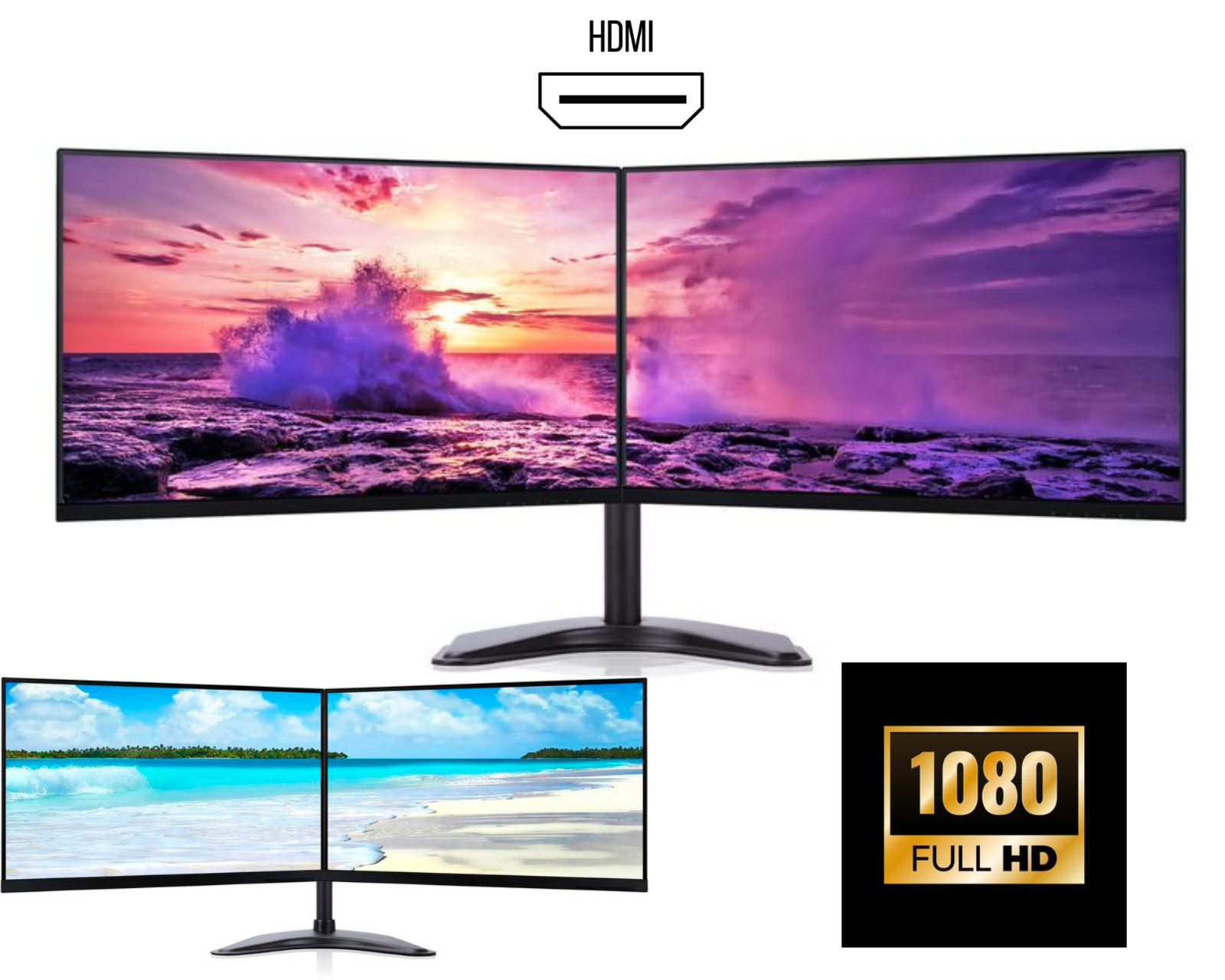
A monitor bundle is a complete package that includes everything you need to create a multi-monitor workstation.
Typically, a monitor bundle UK includes:
• Two or three matching monitors
• Monitor stand or mount (dual or triple)
• HDMI or DisplayPort cables
• Power cables
Some advanced bundles may also include:
• Desktop PC or laptop docking station
• Keyboard and mouse
• Pre-configured setup
This makes monitor bundles a ready-to-use solution for office environments.
Why Monitor Bundles Are Popular in 2026
Monitor bundles have become increasingly popular because they offer convenience, compatibility, and cost savings.
1. Cost-Effective Solution
Buying a dual monitor bundle or triple monitor bundle is usually cheaper than purchasing individual monitors and accessories separately.
This is especially beneficial for:
• Businesses buying in bulk
• Startups setting up offices
• Remote workers building home offices
2. Ready-to-Use Setup
A monitor bundle for office workstation comes fully compatible, meaning you don’t need to worry about:
• Matching monitor sizes
• Finding the right cables
• Compatibility issues
Everything is included and designed to work together.
3. Improved Productivity
Using multiple monitors increases productivity by allowing users to:
• Work on multiple applications simultaneously
• Reduce tab switching
• Improve workflow
A dual monitor setup or triple monitor setup can significantly boost efficiency in office environments.
Types of Monitor Bundles for Office Workstations
Choosing the right type of bundle depends on your needs and workload.
🖥️ Dual Monitor Bundles
A dual monitor bundle UK is the most common choice for office work.
Best For:
• Office professionals
• Students
• Remote workers
• Everyday multitasking
Benefits:
• Affordable
• Easy to set up
• Saves desk space
A dual monitor office setup is perfect for tasks like:
• Emails and communication
• Excel spreadsheets
• Web browsing
• Video meetings
🖥️ Triple Monitor Bundles
A triple monitor bundle UK is ideal for advanced workflows.
Best For:
• Stock trading
• Data analysis
• Programming
• Creative professionals
Benefits:
• Maximum screen space
• Better multitasking
• Professional workstation setup
A triple monitor workstation is perfect for handling complex tasks efficiently.
💻 PC + Monitor Bundles
A PC with monitor bundle UK includes a desktop computer along with monitors.
Best For:
• Businesses setting up new offices
• Users who need a complete system
• Plug-and-play workstations
Benefits:
• Fully ready-to-use
• Cost-effective
• No compatibility issues
Key Features to Look for in Monitor Bundles
When choosing the best monitor bundles for office workstations, consider the following:
1. Screen Size
Common sizes include:
• 22 inch monitors – compact setups
• 24 inch monitors – best for productivity
• 27 inch monitors – ideal for multitasking
Most professionals prefer dual 24-inch monitors.
2. Resolution
• Full HD (1920x1080) – standard office use
• QHD (2560x1440) – better clarity
• 4K – high-end setups
For most offices, Full HD or QHD monitor bundles are sufficient.
3. Panel Type
IPS panels are recommended because they offer:
• Better colour accuracy
• Wide viewing angles
• Comfortable viewing experience
4. Frameless Design
Frameless or thin bezel monitors create a seamless multi-monitor setup and improve aesthetics.
5. Adjustable Stands
Look for bundles that include:
• Height-adjustable stands
• Dual or triple monitor arms
This improves ergonomics and comfort.
Best Monitor Bundles for Different Use Cases
🏢 Office Workstations
A dual monitor bundle with 24-inch IPS monitors is ideal for:
• Office tasks
• Email management
• Reports and spreadsheets
🏠 Home Office Setup
A dual monitor home office setup UK helps remote workers stay productive and organised.
📊 Trading Workstations
A triple monitor bundle for trading allows users to:
• Monitor charts
• Track multiple platforms
• Analyse data in real time
🎓 Students & Education
Students benefit from monitor bundles for:
• Online learning
• Research
• Assignments
Why Businesses Prefer Monitor Bundles
Businesses across the UK are increasingly choosing monitor bundles for office workstations because they:
• Reduce setup time
• Ensure consistency across workstations
• Lower overall costs
• Improve employee productivity
For companies setting up multiple desks, bulk monitor bundles UK are the most efficient solution.
Monitor Bundles vs Buying Separately
| Feature | Monitor Bundle | Individual Purchase |
|---|---|---|
| Cost | Lower | Higher |
| Compatibility | Guaranteed | Risk of mismatch |
| Setup Time | Fast | Time-consuming |
| Convenience | High | Low |
Clearly, monitor bundles offer better value and convenience.
Final Thoughts
The best monitor bundles for office workstations in the UK (2026) provide a perfect balance of performance, affordability, and convenience.
Whether you choose a dual monitor bundle, triple monitor setup, or PC with monitor bundle, upgrading your workspace with multiple screens will significantly improve productivity and workflow.
If you’re looking for a ready-to-use, cost-effective, and professional workstation setup, monitor bundles are the smartest investment.